



5 Features of MyDigiSence Most Users Don't Know About
Think MyDigiSence is just a free business listing website? Discover five feature groups that help businesses get discovered, build professional profiles, manage customer enquiries, follow up, and understand their online activity.
5 Features of MyDigiSence Most Users Don't Know About
Many people know MyDigiSence as a platform where businesses and professionals can create online listings for free. But MyDigiSence offers more than a basic business listing. It brings together tools that help businesses get discovered, create professional pages, manage customer enquiries, and track their online performance.
From the Free Business Listing feature to the Leads Inbox, Profile Builder, SEO Tools, QR Codes, Auto Replies, and Analytics, MyDigiSence provides several useful features that businesses can use to strengthen their digital presence.
If you are a startup, manufacturer, wholesaler, retailer, freelancer, or service provider, understanding these features can help you make better use of the platform.
Quick Answer: What Are the 5 Features of MyDigiSence Most Users Don't Know About?
The five important feature groups of MyDigiSence are:
Free Business Listing: Create an online business presence without a listing fee.
Getting Found: Use Explore Directory, SEO Tools, and Verified Badge features to support business discovery and credibility.
Your Page: Build and customize a professional profile with Profile Builder, Profile Themes, Share Link, QR, and PDF options.
Enquiries in One Place: Manage customer enquiries using Leads Inbox, and Messages
Follow-up and Insight: Use Auto Replies, Notifications, and Analytics to manage interactions and understand activity.
Together, these features help businesses establish an online presence and manage important parts of their customer discovery and enquiry journey.
Key Takeaways
MyDigiSence allows businesses to create free business listings.
Explore Directory helps users discover businesses and professionals.
SEO Tools support the optimization of business information for online visibility.
Verified Badge helps communicate verification status where applicable.
Profile Builder and Profile Themes help create a professional business page.
Share Link, QR, and PDF options make business profiles easier to share.
Leads Inbox and Messages help organize customer enquiries.
Auto Replies and Notifications support timely communication.
Analytics helps businesses understand profile and enquiry activity.
1. Free Business Listing: Create Your Online Business Presence
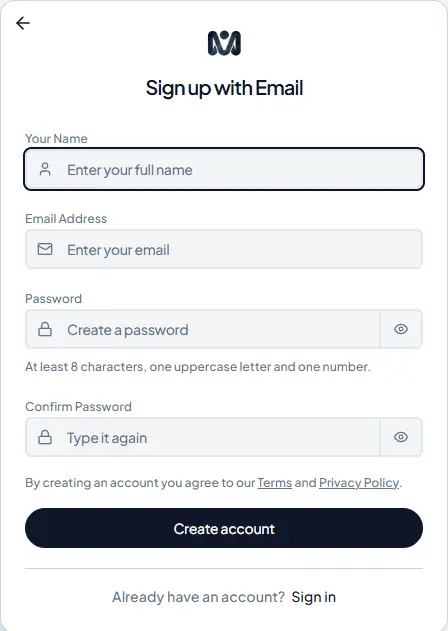
The first feature is also one of the most useful: Free Business Listing.
Businesses often need an online presence so potential customers can discover their products, services, and contact information. However, creating and maintaining multiple digital profiles can require time and money.
MyDigiSence allows businesses to create a business listing without a listing fee.
You can use your listing to present important business information and introduce your products or services to potential customers.
Who Can Use Free Business Listing?
This feature can be useful for:
Startups and small businesses
Manufacturers and wholesalers
Retailers and distributors
Exporters and suppliers
Consultants and freelancers
Local businesses and service providers
A complete business listing makes it easier for people to understand what your business offers.
Why it matters: Instead of relying only on social media or offline references, businesses can establish an additional online presence through a dedicated business profile.
Visit Also: How IT Consultancy Agencies Find Clients
2. Getting Found: Help People Discover Your Business
Creating a business listing is the beginning. The next important step is helping potential customers find it.
MyDigiSence includes three features under this area: Explore Directory, SEO Tools, and Verified Badge.
Explore Directory
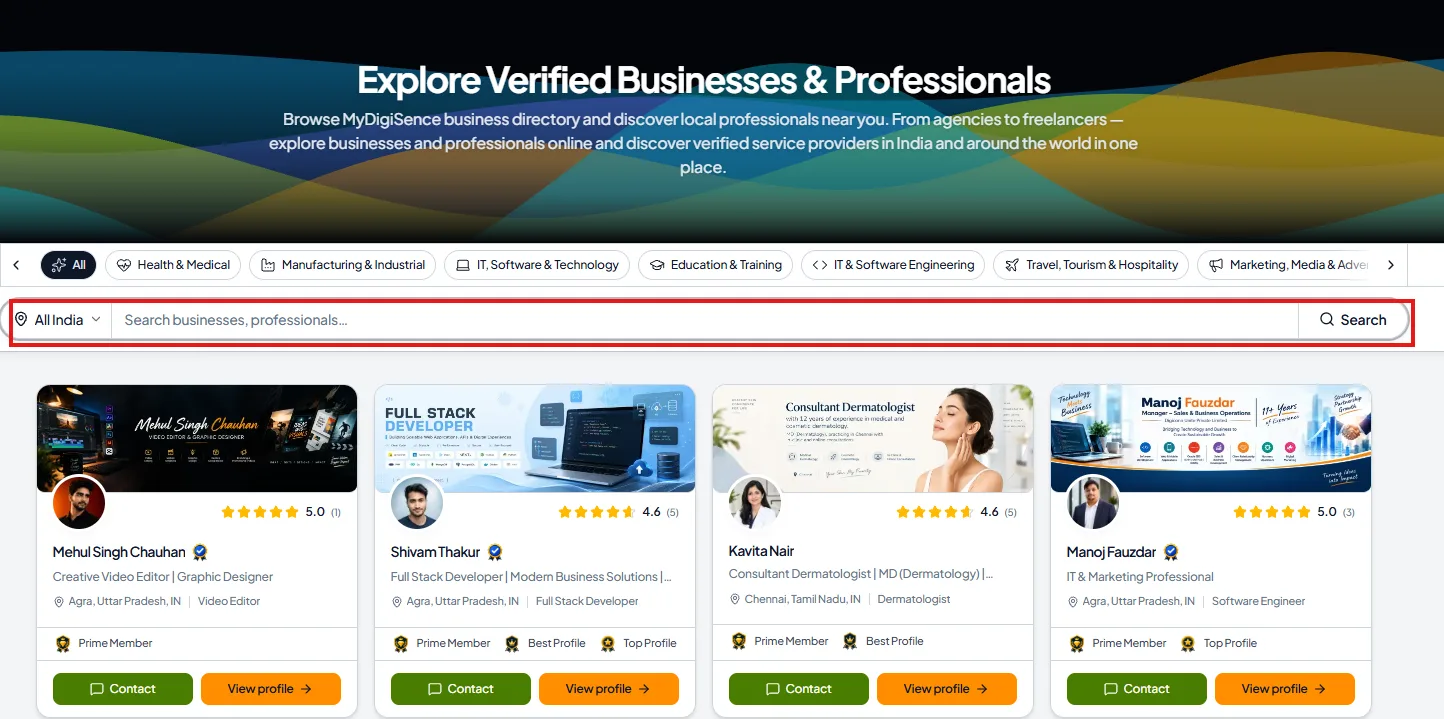
The Explore Directory helps users discover businesses and professionals through the MyDigiSence platform.
People looking for products, business services, or professional expertise can explore available listings and find relevant profiles.
For businesses, this creates another opportunity to become visible to people searching for relevant services.
For example, someone looking for an IT consultancy, manufacturer, marketing agency, or professional service provider can explore relevant business listings.
SEO Tools
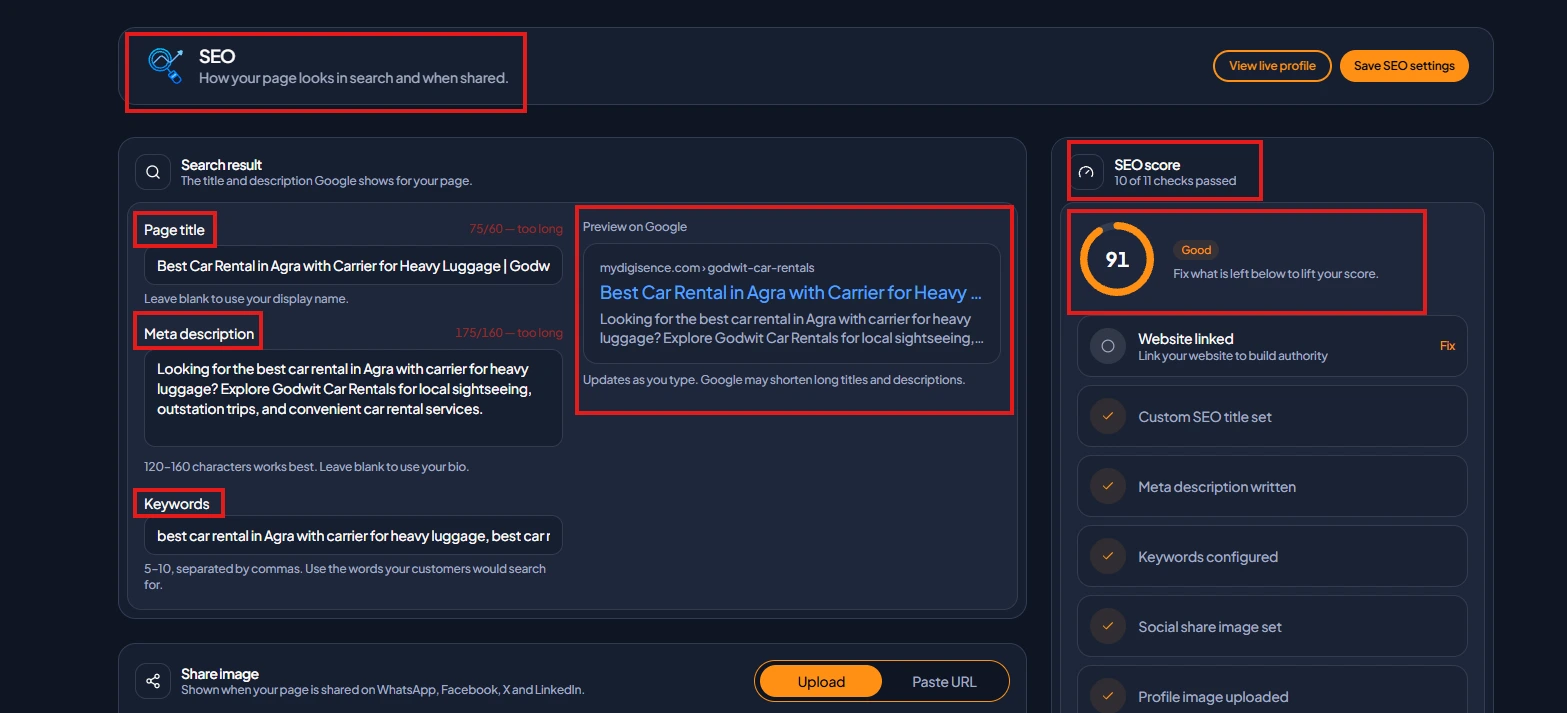
Having a business profile is useful, but presenting information clearly is equally important.
SEO Tools help businesses work on the search optimization of their online presence.
Businesses should focus on:
Relevant business names and descriptions
Accurate service information
Appropriate business categories
Relevant keywords
Clear product and service details
These elements help communicate what a business does to both visitors and search engines.
SEO tools can support optimization, but they do not guarantee Google rankings or search engine indexing.
Verified Badge
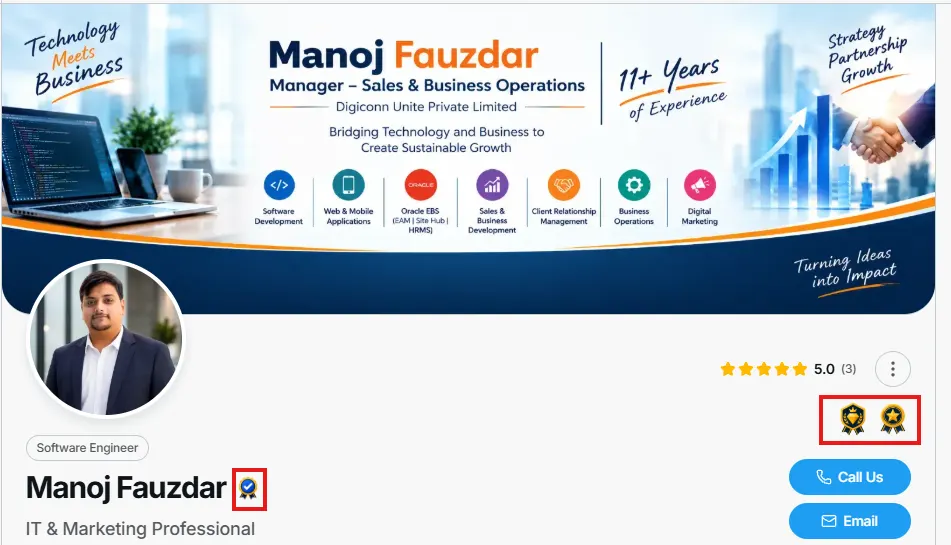
Trust is an important part of online business discovery.
The Verified Badge feature helps communicate a business's verification status on the platform.
A visible verification indicator can help visitors distinguish profiles that have completed the applicable verification process.
Businesses should provide accurate information and follow the platform's verification requirements.
Why it matters: Explore Directory supports discovery, SEO Tools support profile optimization, and Verified Badge communicates verification status. Together, they strengthen the business profile experience.
3. Your Page: Build a Professional Digital Business Profile
Your business page is often one of the first places potential customers visit when they want to understand your company.
MyDigiSence provides tools to build, customize, and share your business page.
This feature group includes Profile Builder, Profile Themes, and Share Link, QR & PDF.
Profile Builder
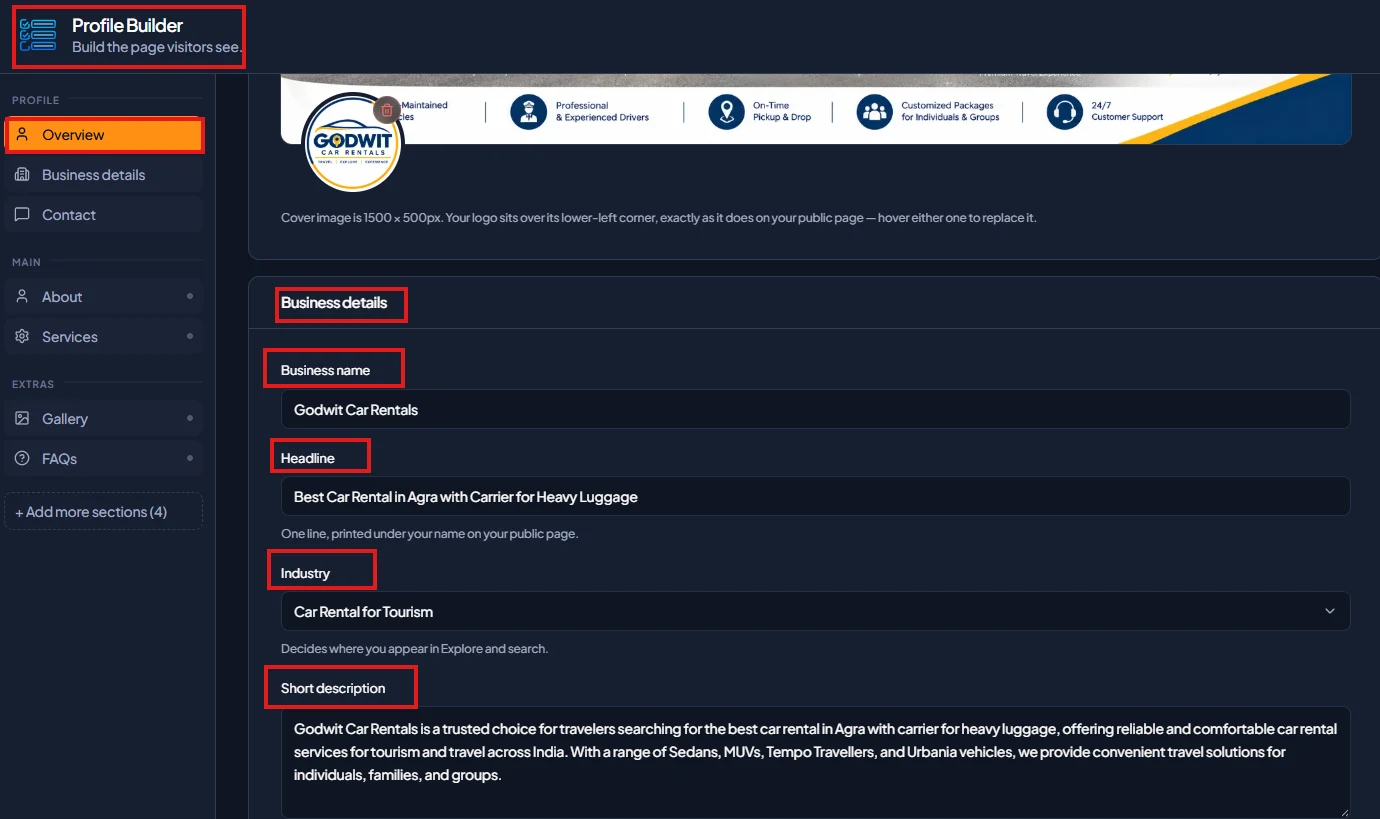
Profile Builder helps businesses create their digital profile by presenting relevant business information in one place.
A useful business profile should communicate:
Business introduction
Products and services
Business details
Areas of expertise
Relevant contact information
A well-organized profile gives visitors a clearer understanding of the business before they make an enquiry.
Profile Themes
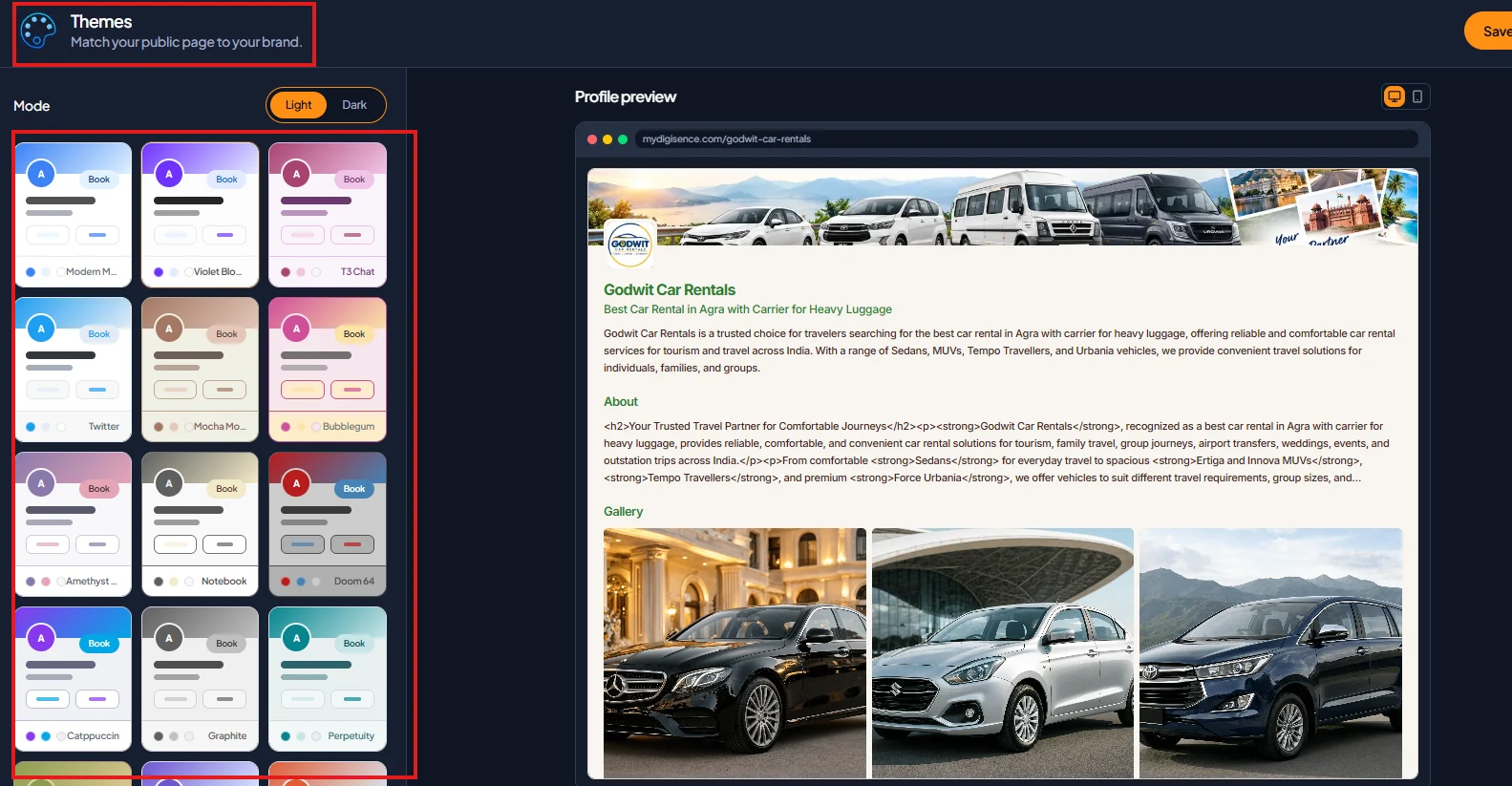
Different businesses have different presentation needs.
Profile Themes allow users to customize the appearance of their business page using available theme options.
A professional-looking page can make business information easier to explore and create a more consistent presentation.
For example, a software company may want to highlight its technical services, while a manufacturer may want to focus on products and business capabilities.
Share Link, QR & PDF
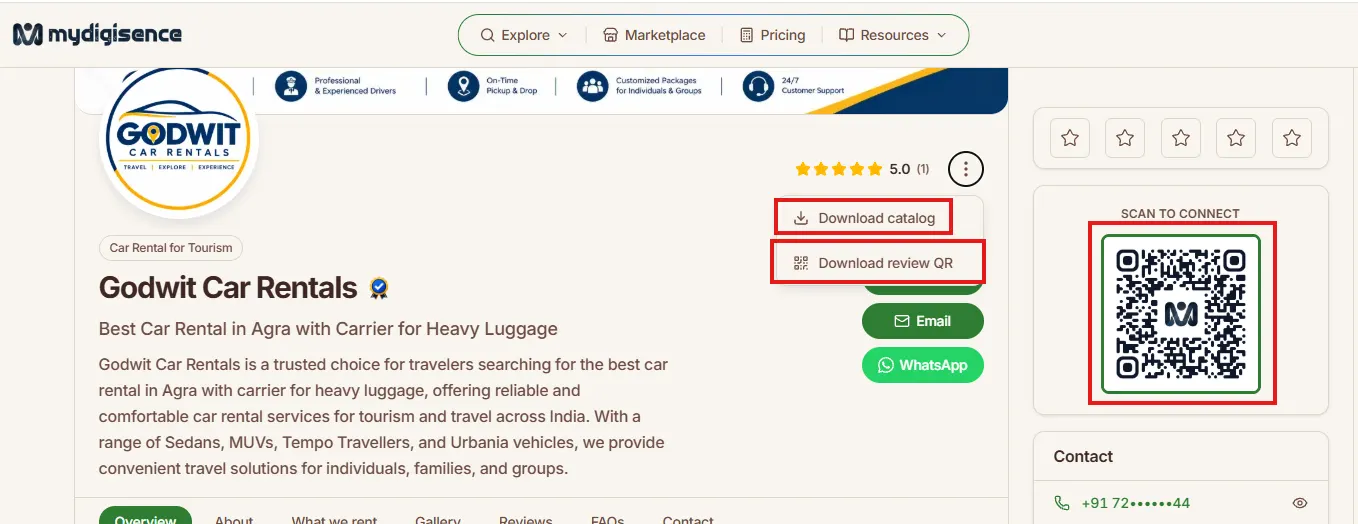
Making your business profile easy to share is important for reaching more people.
MyDigiSence provides three useful sharing options:
Share Link: Share your business profile through messaging apps, email, social media, or other digital channels.
QR Code: Use your profile QR code on business cards, brochures, promotional materials, or other suitable offline marketing materials.
PDF: Use the available PDF option to share your business profile in a convenient document format.
Why it matters: These tools make your business profile easier to access and share, connecting your online presence with both digital and offline business activities.
4. Enquiries in One Place: Manage Customer Communication
Getting discovered is important, but businesses also need a way to manage customer interest.
MyDigiSence includes three features under Enquiries in One Place: Leads Inbox, and Messages
Leads Inbox
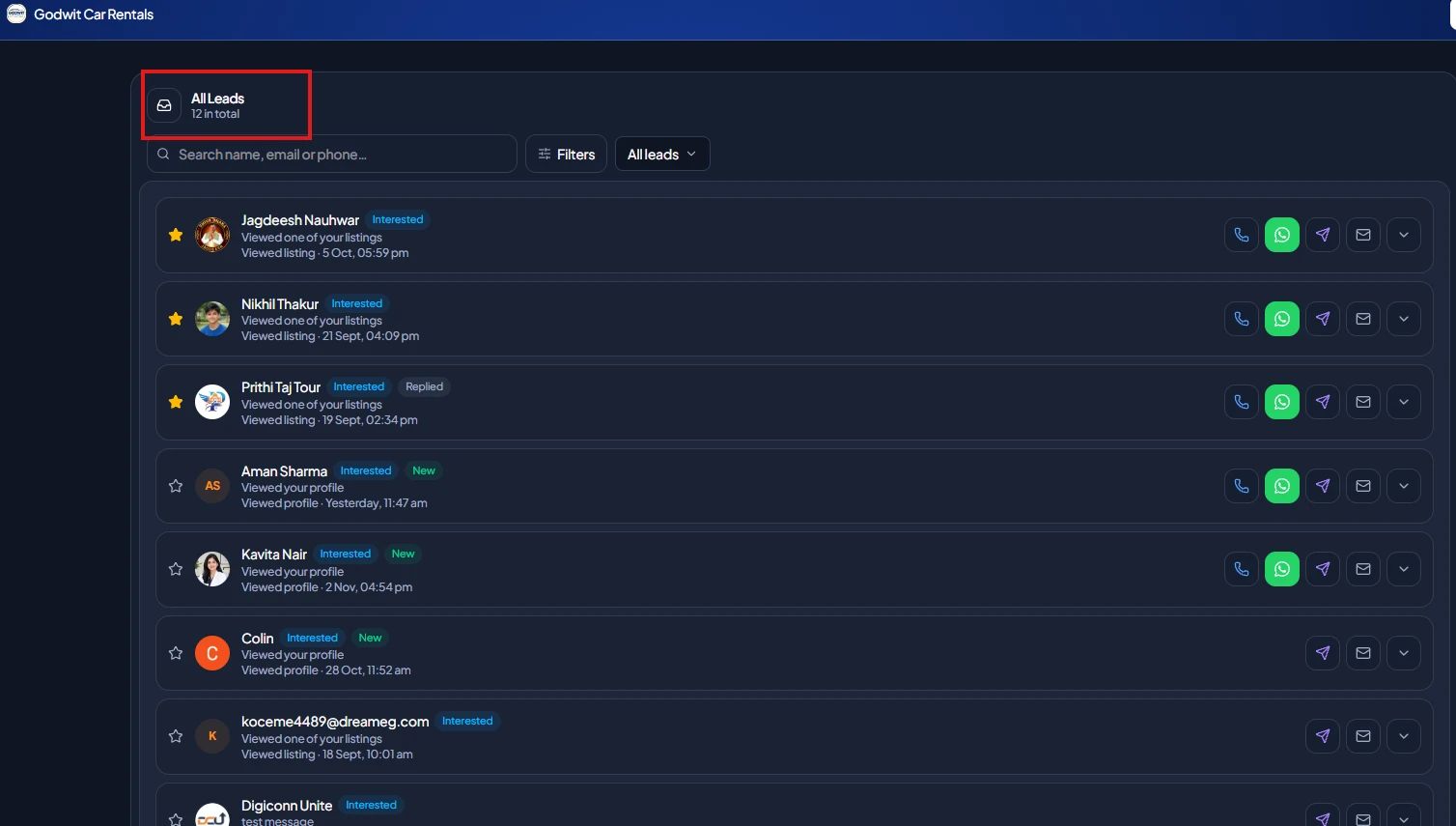
Leads Inbox helps businesses organize incoming customer enquiries in one place.
Instead of treating every enquiry as an isolated interaction, businesses can use a dedicated inbox to manage potential opportunities.
For example, a customer interested in manufacturing services may submit an enquiry about product specifications, pricing, or availability.
The business can then review the enquiry and respond according to the customer's requirements.
Messages
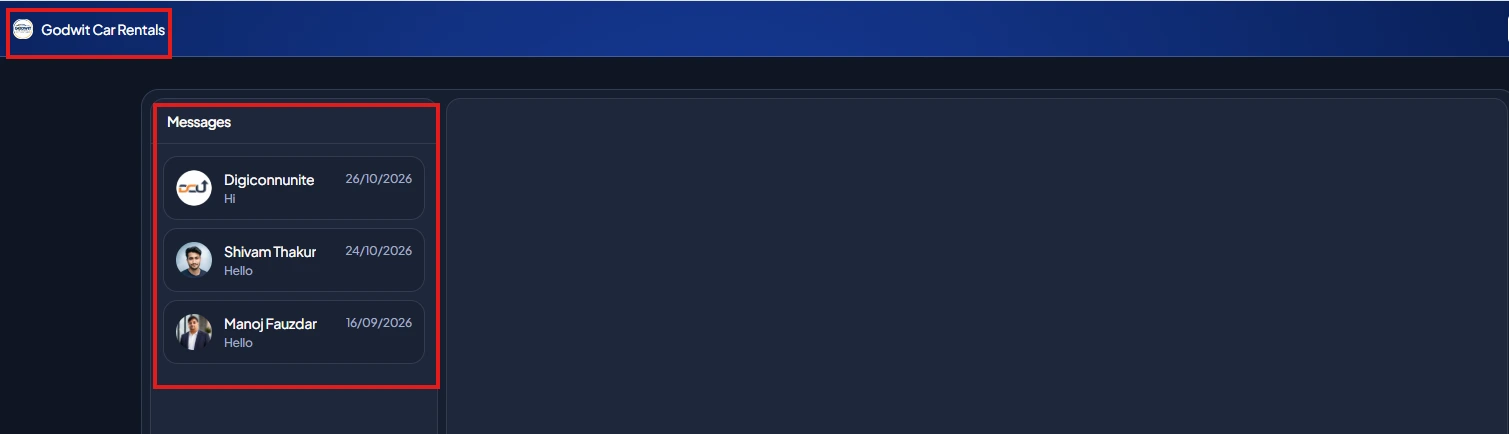
Communication plays an important role in turning potential customers into actual business relationships.
The Messages feature supports communication related to business enquiries.
Businesses can use it to handle conversations and understand what potential customers are looking for.
Clear and timely communication can make the enquiry experience more professional.
Why it matters: Leads Inbox, and Messages support the process of receiving and managing customer interest instead of simply displaying business information.
5. Follow-up and Insight: Stay Connected and Understand Activity
Customer communication should not end after receiving an enquiry.
Businesses need to follow up, respond on time, and understand how people interact with their online profiles.
MyDigiSence brings together Auto Replies, Notifications, and Analytics under this feature group.
Auto Replies
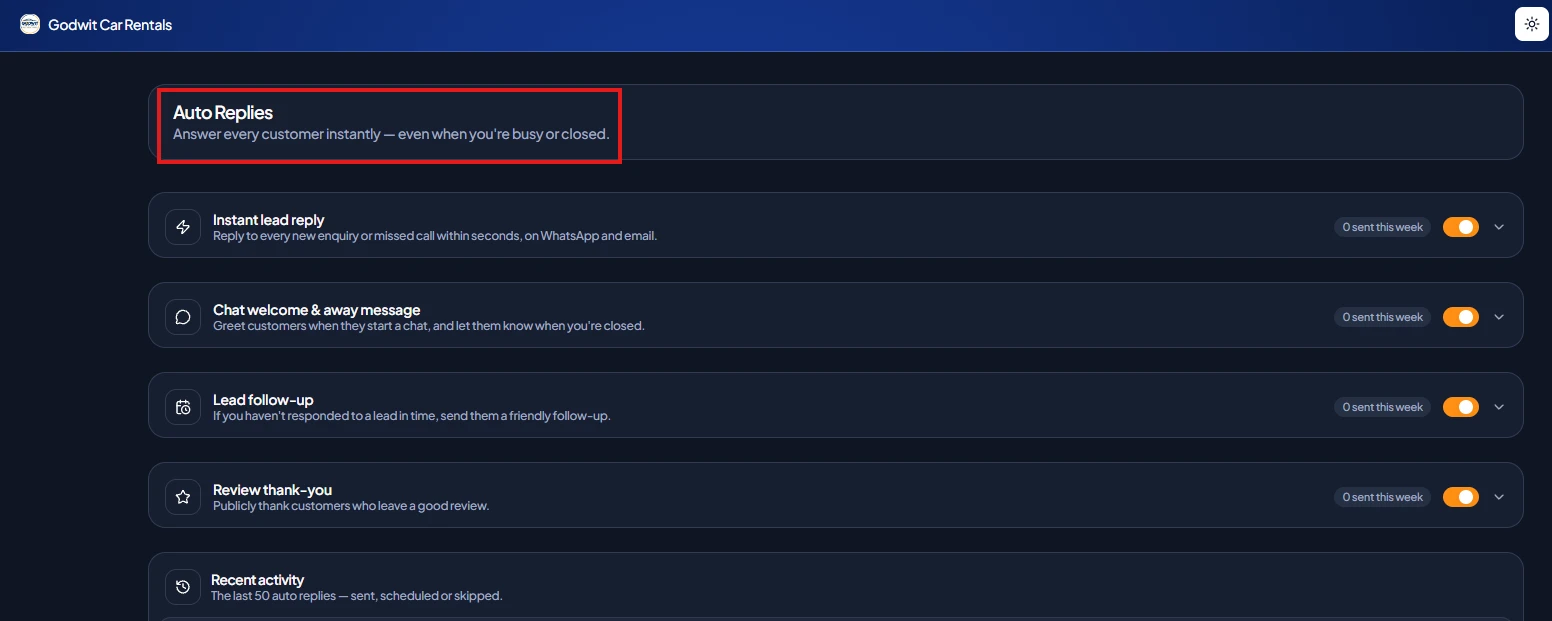
Responding to every enquiry immediately may not always be possible, particularly for businesses receiving multiple requests.
Auto Replies help support communication by providing automated responses where configured.
They can help acknowledge incoming interactions and set expectations for the next communication.
Businesses should ensure that automated responses are clear and do not promise something they cannot deliver.
Notifications
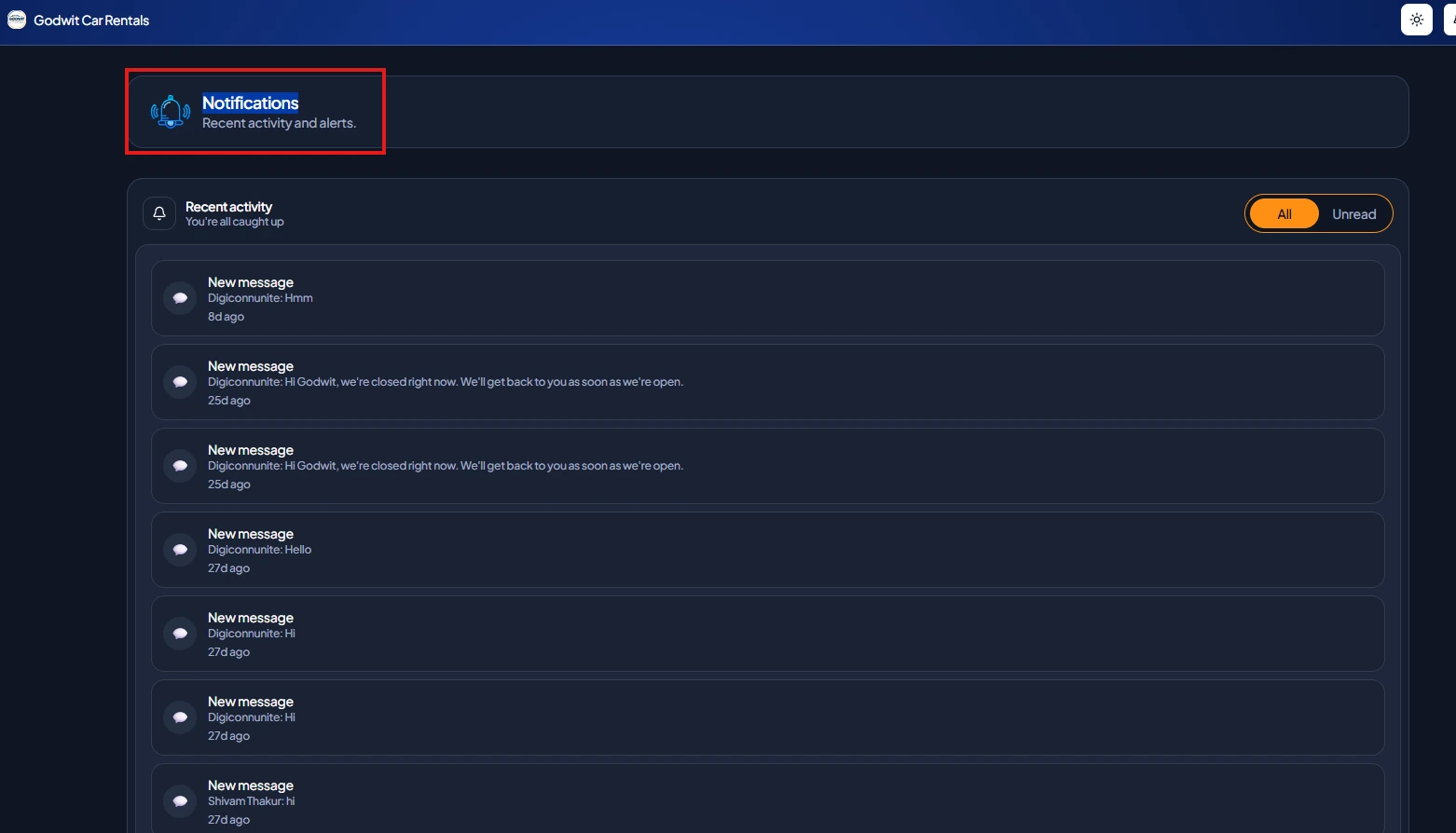
Notifications help businesses stay informed about relevant account activity and interactions.
Timely notifications can make it easier to notice new enquiries or other important updates.
This is useful for business owners and service providers who need to monitor activity without constantly checking their profiles.
Analytics
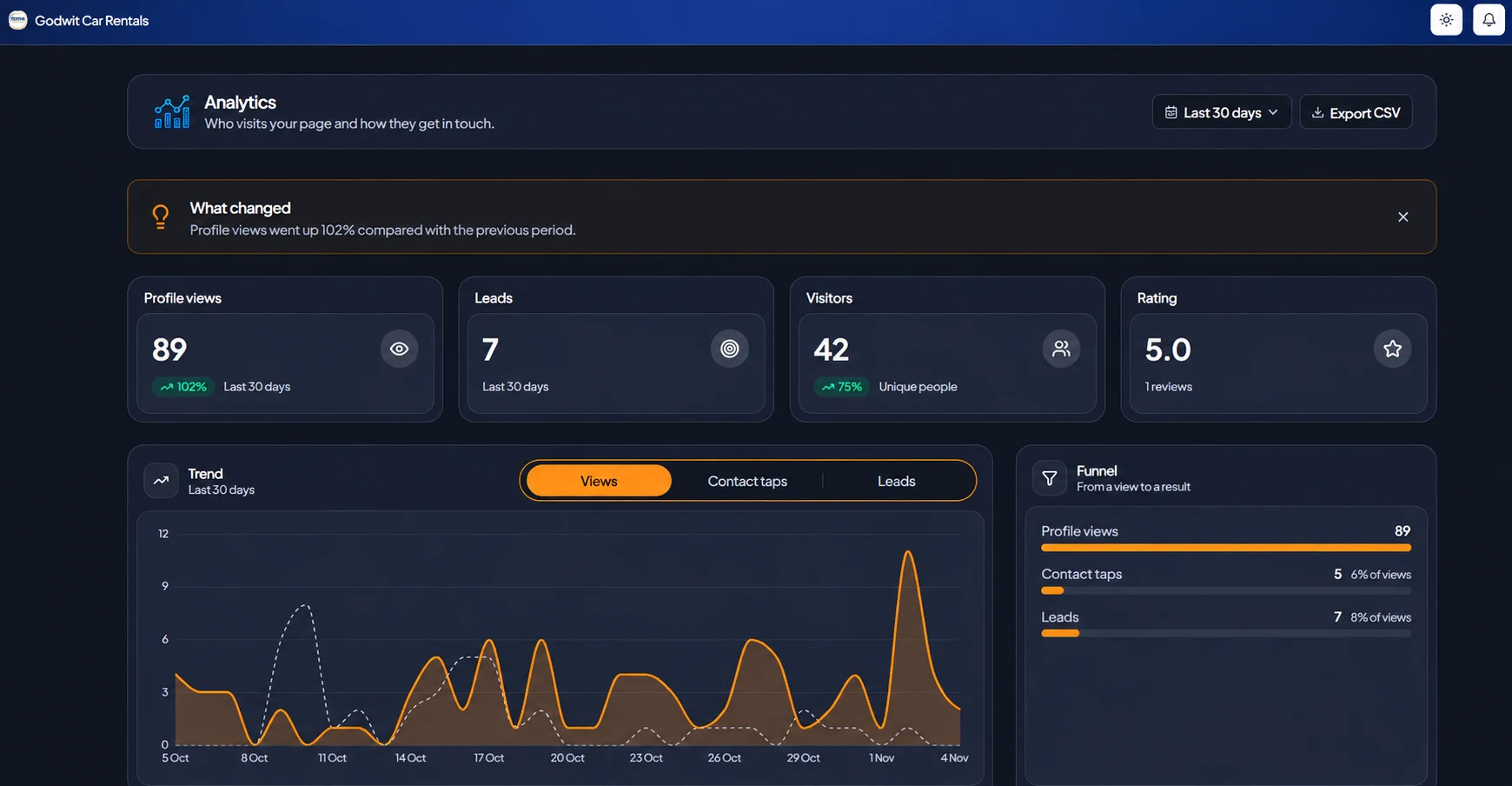
Businesses need to understand how their online presence is performing.
Analytics helps users review available activity and performance information.
Depending on the metrics provided by the platform, businesses can use these insights to understand profile engagement and enquiry activity.
This information can help them identify areas where their business profile or communication approach may need improvement.
Why it matters: Auto Replies support communication, Notifications help users stay informed, and Analytics provides insights into available business activity.
Explore Also: What Is the Best Free Way to Get My Local Business Found Online?
How These 5 MyDigiSence Features Work Together
The real value of these features becomes clearer when you look at the complete business journey.
Business activity | MyDigiSence features |
|---|---|
Establishing an online presence | Free Business Listing |
Improving discovery | Explore Directory, SEO Tools, Verified Badge |
Creating a professional page | Profile Builder, Profile Themes |
Sharing business information | Share Link, QR & PDF |
Receiving enquiries | Leads Inbox |
Managing conversations | Messages |
Supporting follow-ups | Auto Replies, Notifications |
Understanding activity | Analytics |
For example, a software development company can create a free listing, present its services through Profile Builder, customize its page, and share its QR code with prospective customers.
When potential customers discover the business and submit enquiries, the company can manage those interactions and review available analytics.
This creates a connected workflow for business visibility and enquiry management.
Who Should Explore These MyDigiSence Features?
MyDigiSence features can be useful for different types of businesses and professionals.
Startups: Establish an online presence and present their products or services.
Manufacturers: Showcase business information and make their company easier to discover.
Wholesalers and distributors: Present their business offerings to potential buyers.
Service providers: Explain their services and provide a way for customers to make enquiries.
Freelancers and professionals: Build a professional digital presence and share their profiles.
Small and medium-sized businesses: Organize business information, improve discoverability, and manage customer interactions.
The usefulness of each feature depends on the business's requirements and how consistently it maintains its profile.
How to Get Started With MyDigiSence
If you have not explored these features yet, start with the basics.
Visit the MyDigiSence website.
Create your business account.
Add your business information and create your free listing.
Complete your business profile using Profile Builder.
Explore available themes and profile-sharing options.
Review the discovery and SEO features.
Set up the available enquiry and communication tools.
Monitor notifications and available analytics.
Keeping your information accurate and up to date can help create a better experience for potential customers.
Conclusion
MyDigiSence is more than a place to create a business listing. Its five feature groups bring together important tools for business visibility, profile management, customer enquiries, communication, and performance insights.
From Free Business Listing and Explore Directory to Profile Builder, Leads Inbox, Auto Replies, and Analytics, each feature supports a different part of the online business journey.
If you have only used MyDigiSence to list your business, it may be worth exploring the other available features.
Frequently Asked Questions
Is MyDigiSence only a business listing website?
No. MyDigiSence offers more than free business listings. Its feature groups include business discovery, SEO Tools, profile customization, enquiry management, communication, and analytics.
Can I list my business on MyDigiSence for free?
Yes. MyDigiSence offers a Free Business Listing feature that allows businesses to establish their presence on the platform without a listing fee.
What is the Explore Directory feature?
Explore Directory helps users discover available businesses and professionals through the MyDigiSence platform.
What is the purpose of Profile Builder?
Profile Builder helps businesses create and present their digital business pages with relevant company and service information.
Can I share my MyDigiSence business profile?
Yes. MyDigiSence provides Share Link, QR, and PDF options to make business profiles easier to distribute through digital and offline channels.
How does Leads Inbox help businesses?
Leads Inbox helps businesses manage incoming customer enquiries in one place, making it easier to review potential opportunities.
What are Auto Replies and Notifications used for?
Auto Replies support automated communication where configured, while Notifications help users stay informed about relevant account activity.
Does MyDigiSence provide Analytics?
Yes. MyDigiSence includes an Analytics feature that helps businesses understand the activity and performance information available through the platform.
Visit Also: Top 10 Leading Real Estate Companies in India
Our Social Account:
Written by
Shivam Thakur
Nov 4, 2026
More from the blog
Clutch vs MyDigiSence Plans: Which Is Better?
Clutch vs MyDigiSence plans: compare pricing, free business listings, verification, customer reviews, lead management, and business visibility. Discover which platform offers better value for startups, agencies, freelancers, and Indian businesses.

Top 10 Quality of Property Broker
What makes a property broker reliable? Explore 10 essential qualities of a professional real estate broker and learn how to identify the right person for buying, selling, or renting property.
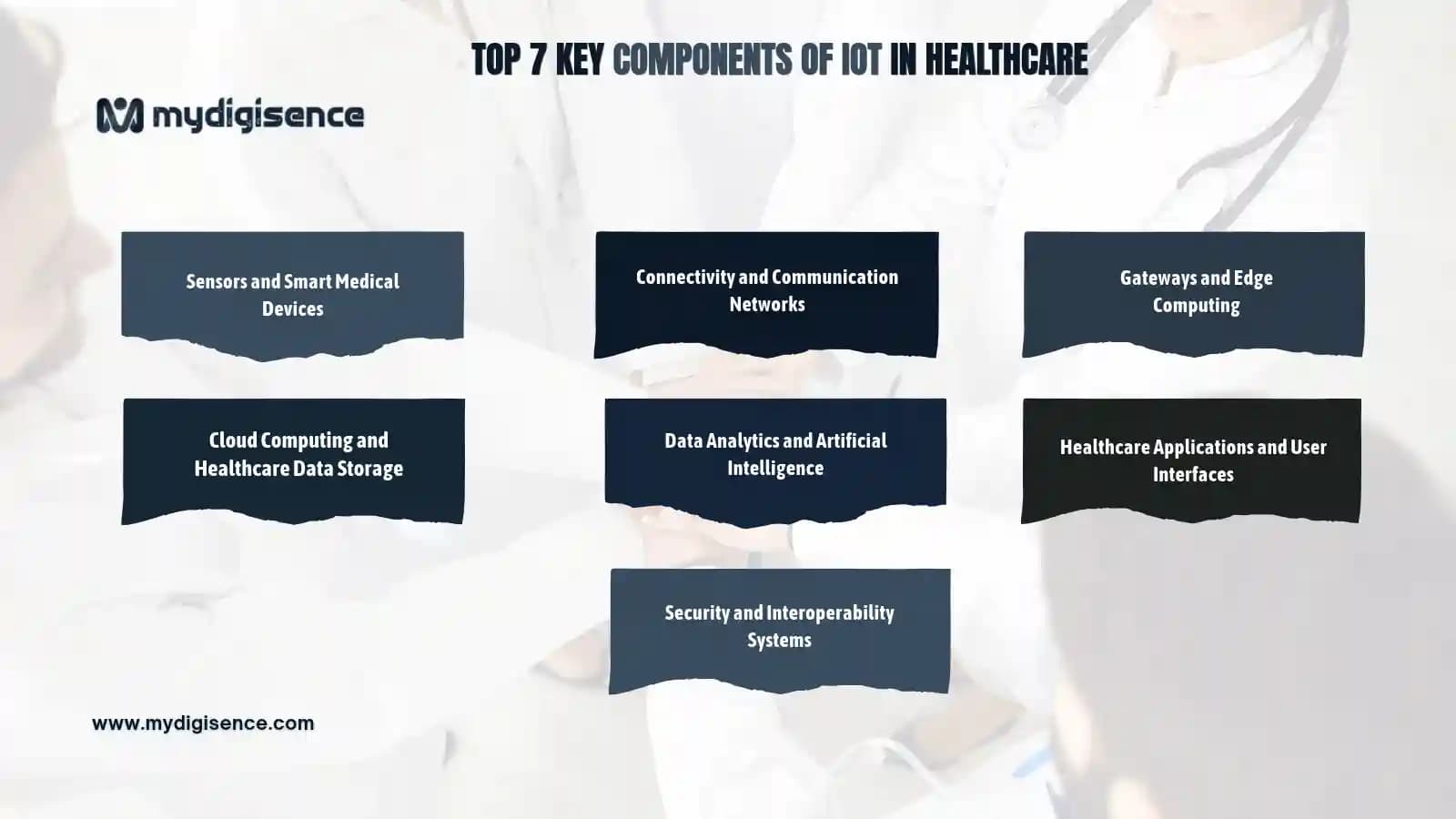
Top 7 Key Components of IoT in Healthcare
Learn about the seven essential components of IoT in healthcare and how sensors, connected medical devices, communication networks, cloud computing, AI, and security systems work together to improve patient monitoring and digital healthcare services.